Protocol Configurations
This validated solution design topology uses IS-IS as the interior gateway protocol to distribute IP routing information among the routers in an Autonomous System (AS). The Label Distribution Protocol (LDP) is used to exchange label mapping information for MPLS traffic. And, iBGP is used for exchanging routing and reachability information within ASs.
One thus needs to configure the following protocols:
-
IS-IS: To ensure IP connectivity on the core network.
-
LDP: To establish MPLS LSP tunnels for MPLS data transmission on the network.
-
iBGP: To exchange routing information within an AS.
Configure IS-IS
The following steps provide the commands to execute various IS-IS protocol functionalities. For more detailed information about IS-IS configuration, see IS-IS User Guide.
-
Configure IS-IS system-id, area, hostname and interfaces.
set instance default protocol isis system-id 1920.0000.2064
set instance default protocol isis area 49.0001/24
set instance default protocol isis hostname C-BNG
set instance default protocol isis segment-routing srgb base 100000
set instance default protocol isis segment-routing srgb range 2000
set instance default protocol isis interface ifl-0/1/17/10
set instance default protocol isis interface ifl-0/1/17/10 type point-to-point
set instance default protocol isis interface ifl-0/1/17/10 level-2 adjacency-disable true
set instance default protocol isis interface lo-0/0/1/0
set instance default protocol isis interface lo-0/0/1/0 passive true
set instance default protocol isis interface lo-0/0/1/0 segment-routing ipv4 index 100
commit
IS-IS instance configuration on interface is shown below:
supervisor@rtbrick: op> show config instance default protocol isis
{
  "rtbrick-config:isis": {
    "system-id": "1920.0000.2064",
    "area": [
      "49.0001/24"
      ],
    "hostname": "C-BNG",
    "segment-routing": {
      "srgb": {
        "base": 100000,
        "range": 2000
      }
    },
    "interface": [
      {
        "name": "ifl-0/1/17/10",
        "type": "point-to-point",
        "level-2": {
          "adjacency-disable": "true"
        }
      },
      {
        "name": "lo-0/0/1/0",
        "passive": "true",
        "segment-routing": {
          "ipv4": {
            "index": 100
          }
        }
      }
    ]
  }
}
Configure LDP on the Interfaces
The following steps provide the commands to execute various LDP functionalities. For more detailed information about LDP configuration, see LDP User Guide.
-
Configure LDP on the router interface.
set instance default protocol ldp router-id 192.0.2.64
set instance default protocol ldp interface ifl-0/1/24/10
set instance default protocol ldp interface lo-0/0/1/0
commit
Configuration for LDP on the interface is shown below:
supervisor@rtbrick: op> show config instance default protocol ldp
{
  "rtbrick-config:ldp": {
    "router-id": "192.0.2.64",
    "interface": [
      {
        "name": "ifl-0/1/17/10"
      },
      {
        "name": "lo-0/0/1/0"
      }
    ]
  }
}
Configure BGP
The following steps provide the commands to execute the various BGP functionalities quickly. For more detailed information about BGP configuration, see BGP User Guide.
-
Configure BGP local AS.
set instance default protocol bgp local-as 4200000001
commit
-
Configure BGP router-id
set instance default protocol bgp router-id 192.0.2.64
commit
BGP local AS, router-id, and hostname configurations are shown below:
supervisor@rtbrick: op> show config instance default protocol bgp
{
  "rtbrick-config:bgp": {
    "local-as": 4200000001,
    "router-id": "192.0.2.64",
    "address-family": [
      {
        "afi": "ipv4",
        "safi": "unicast",
        "resolve-nexthop": {
          "safi": "labeled-unicast"
        },
        "redistribute": [
          {
            "source": "direct"
          }
        ]
      },
      {
        "afi": "ipv6",
        "safi": "labeled-unicast"
      },
      {
        "afi": "ipv6",
        "safi": "unicast",
        "resolve-nexthop": {
          "safi": "labeled-unicast"
        },
        "redistribute": [
          {
            "source": "direct"
          }
        ]
      }
    ],
    "peer": {
      "ipv4": [
        {
          "peer-address": "192.0.2.2",
          "update-source": "192.0.2.64",
          "peer-group": "RR"
        }
      ]
    },
    "peer-group": [
      {
        "pg-name": "RR",
        "remote-as": 4200000001,
        "address-family": [
          {
            "afi": "ipv4",
            "safi": "unicast"
          },
          {
            "afi": "ipv6",
            "safi": "labeled-unicast"
          },
          {
            "afi": "ipv6",
            "safi": "unicast",
            "send-label": "true"
          }
        ]
      }
    ]
  }
}-
Enable the IPv4 and IPv6 address families which are to be supported on the specific BGP instance.
set instance default protocol bgp address-family ipv4 unicast
set instance default protocol bgp address-family ipv4 unicast resolve-nexthop safi labeled-unicast
set instance default protocol bgp address-family ipv4 unicast redistribute direct
set instance default protocol bgp address-family ipv6 labeled-unicast
set instance default protocol bgp address-family ipv6 unicast
set instance default protocol bgp address-family ipv6 unicast resolve-nexthop safi labeled-unicast
commit
BGP address family configuration is shown below:
supervisor@rtbrick: op> show config instance default protocol bgp address-family
{
  "rtbrick-config:address-family": [
    {
      "afi": "ipv4",
      "safi": "unicast",
      "resolve-nexthop": {
        "safi": "labeled-unicast"
      },
      "redistribute": [
        {
          "source": "direct"
        }
      ]
    },
    {
      "afi": "ipv6",
      "safi": "labeled-unicast"
    },
    {
      "afi": "ipv6",
      "safi": "unicast",
      "resolve-nexthop": {
        "safi": "labeled-unicast"
      },
      "redistribute": [
        {
          "source": "direct"
        }
      ]
    }
  ]
}-
Create the peer group with the specific remote AS configurations and the address family that is to be negotiated with the peer which will be attached to the peer group later.
set instance default protocol bgp peer-group RR
set instance default protocol bgp peer-group RR remote-as 4200000001
set instance default protocol bgp peer-group RR address-family ipv4 unicast
set instance default protocol bgp peer-group RR address-family ipv6 labeled-unicast
set instance default protocol bgp peer-group RR address-family ipv6 unicast
commit
BGP peer-group configuration is shown below:
supervisor@rtbrick: op> show config instance default protocol bgp peer-group
{
  "rtbrick-config:peer-group": [
    {
      "pg-name": "RR",
      "remote-as": 4200000001,
      "address-family": [
        {
          "afi": "ipv4",
          "safi": "unicast"
        },
        {
          "afi": "ipv6",
          "safi": "labeled-unicast"
        },
        {
          "afi": "ipv6",
          "safi": "unicast",
          "send-label": "true"
        }
      ]
    }
  ]
}-
Add a BGP peer and associate it with the specific peer group.
set instance default protocol bgp peer ipv4 192.0.2.2 192.0.2.64
set instance default protocol bgp peer ipv4 192.0.2.2 192.0.2.64 peer-group RR
commit
Configuration for adding a BGP peer and associating it with a peer group is shown below:
supervisor@rtbrick: op> show config instance default protocol bgp peer
{
  "rtbrick-config:peer": {
    "ipv4": [
      {
        "peer-address": "192.0.2.2",
        "update-source": "192.0.2.64",
        "peer-group": "RR"
      }
    ]
  }
}-
Configure the IPv6 unicast address family with
send-labelas true, then address-family IPv6 labeled-unicast gets negotiated with the peer.
set instance default protocol bgp peer-group RR address-family ipv6 unicast send-label true
commit
The following configuration shows the BGP IPv6 unicast address family with send-label as true.
supervisor@rtbrick: op> show config instance default protocol bgp peer-group RR address-family ipv6 unicast
{
  "rtbrick-config:address-family": [
    {
      "afi": "ipv6",
      "safi": "unicast",
      "send-label": "true"
    }
  ]
}-
Set the resolve-nexthop, if the BGP nexthop attribute of the BGP routes needs to be resolved under ipv4/ipv6 labeled-unicast routing table. It configures only resolve-nexthop safi. Based on the nexthop-type (ipv4 or ipv6), it gets looked up into either IPv4 labeled-unicast or IPv6 labeled-unicast.
set instance default protocol bgp address-family ipv4 unicast resolve-nexthop safi labeled-unicast
commit
Resolve nexthop configuration is shown below:
supervisor@rtbrick: op> show config instance default protocol bgp address-family ipv4 unicast resolve-nexthop
{
  "rtbrick-config:resolve-nexthop": {
    "safi": "labeled-unicast"
  }
}-
To redistribute the routes (belonging to a specific source) into BGP, execute the following command. The following command redistributes
directroutes into BGP.
set instance default protocol bgp address-family ipv4 unicast redistribute direct
commit
supervisor@rtbrick: op> show config instance default protocol bgp address-family ipv4 unicast resolve-nexthop
{
  "rtbrick-config:resolve-nexthop": {
    "safi": "labeled-unicast"
  }
}
Configuring the Service Node
Configuring Interfaces on the Service Node for RADIUS Connectivity from Multiservice Edge
To configure interfaces on the Service Node for RADIUS connectivity from Multiservice Edge, enter the following commands:
sudo ip link add link SN1-3-C1 name SN1-3-C1.100 type vlan id 100
sudo ifconfig SN1-3-C1.100 192.0.2.34/27
SN1-3-C1 is the internal nomenclature that denotes the interface name on Service Node that connects to the Multiservice Edge..
|
Configuring Interfaces on the Service Node for NTP and TACACS Connectivity from Multiservice Edge
To configure interfaces on the Service Node for NTP and TACACS connectivity from Multiservice Edge, enter the following commands:
sudo ip link add link SN1-3-C1 name SN1-3-C1.200 type vlan id 200
sudo ifconfig SN1-3-C1.200 192.0.2.98/27
sudo ifconfig lo:1 192.0.2.129 netmask 255.255.255.255 up
sudo ifconfig lo:2 192.0.2.130 netmask 255.255.255.255 up
Configuring Routes on the Service Node
To configure routes on the Service Node that provides reachability to the RADIUS, TACACS and NTP servers, enter the following commands:
sudo ip route add 192.0.2.74/32 via 192.0.2.33
sudo ip route add 192.0.2.131/32 via 192.0.2.97
sudo ip route add 192.0.2.128/32 via 192.0.2.97
BNG Blaster Configuration for Protocols
BNG Blaster is an open-source network testing platform for access and routing protocols. It can emulate massive PPPoE and IPoE (DHCP) subscribers including IPTV, and L2TP (LNS). There are various routing protocols supported such as IS-IS and BGP. So, one can use this platform for end-to-end BNG and non-BNG router testing.
For more information about BNG Blaster, see https://github.com/rtbrick/bngblaster
For information about installing BNG Blaster, see https://rtbrick.github.io/bngblaster/install.html
Downloading the Blaster Configuration File
The following is the configuration file that is used in BNG Blaster for validating PPPoE, BGP, IS-IS, and LDP.
Click here to download the BNG Blaster configuration file (blaster.json).
Generating Supporting Files for Protocols
-
Generating BGP Internet Prefixes
Enter the following commands to generate BGP internet prefixes.
bgpupdate -f internet.bgp -a 4200000001 -n 198.51.100.2 -N 1 -p 172.16.0.0/24 -P 1000000
bgpupdate -f internet.bgp -a 4200000001 -n 198.51.100.2 -N 1 -p 2004::/48 -m 10000 -M 5 -P 150000 --append
Ensure that the command execution has finished (as shown below) before continuing.
[2023-04-05 10:19:32][INFO   ] init 1000000 IPv4 prefixes
[2023-04-05 10:19:56][INFO   ] open file internet.bgp (replace)
[2023-04-05 10:25:31][INFO   ] finished
After the generation of the internet.bgp file, the "raw-update-file" attribute of the blaster.json file needs to be updated as follows:
"raw-update-file": "/home/supervisor/internet.bgp"
| For more information about downloading the blaster.json file, see section Downloading the Blaster Configuration File. |
-
Generating MRT FIle for IS-IS
Below is the JSON file (isis_3node.json) which is used to simulate R-1, R-2, and RR on BNG Blaster.
Click here to download the isis_3node.json file.
This JSON file needs to be converted to MRT format using the following command:
lspgen -r isis_3node.json -m isis.mrt
After converting the file to isis.mrt, it needs to be updated in the IS-IS section in the blaster.json file as shown below.
"mrt-file": "/home/supervisor/isis.mrt"
-
Generate labels for the IS-IS prefixes using "ldpupdate" command as shown below:
ldpupdate -l 192.0.2.65 -p 198.51.100.1/32 -P 3 -M 3 -f out.ldp
The detail of the generated file needs to be added to the LDP section in the blaster.json file as shown below:
"raw-update-file": "/home/supervisor/out.ldp"
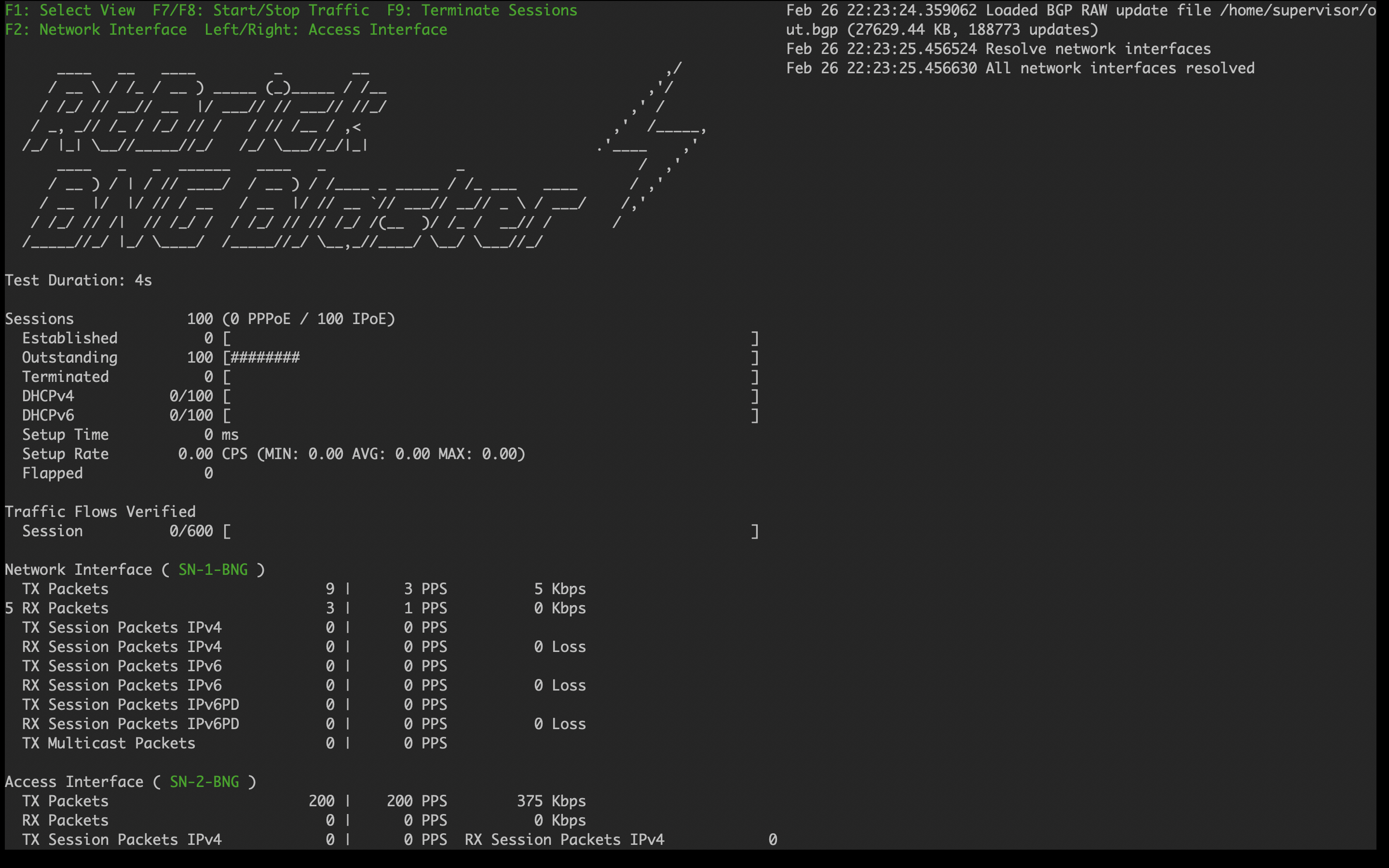
Starting BNG Blaster
In the following command line string, a BNG Blaster instance is started and the blaster.json file is used.
sudo bngblaster -C blaster.json -I
The -C blaster.json argument specifies the blaster configuration file. The -I flag enables the interactive blaster UI.
Validating Protocols on RBFS Multiservice Edge
Validating IS-IS Adjacency, Routes and Reachability
Run the following command to show IS-IS adjacency.
supervisor@rtbrick: op> show isis neighbor
Instance: default
  Interface          System                   Level   State   Type       Up since               Expires
  ifl-0/1/17/10      BNG-Blaster              L1      Up      P2P        Fri Aug 21 08:33:47    in 24s 407192us
After configuring IS-IS protocol, check the IPv4 unicast routes, populated by IS-IS using the following command:
supervisor@rtbrick: op> show route ipv4 unicast source isis instance default
Flags: & - Imported
Instance: default, AFI: ipv4, SAFI: unicast
Flags  Prefix/Label                                Source               Pref  Next Hop                                    Outgoing Interface
       192.0.2.65/32                               isis                   15  192.0.2.2                                   ifl-0/1/17/10
       198.51.100.1/32                             isis                   15  192.0.2.2                                   ifl-0/1/17/10
       198.51.100.2/32                             isis                   15  192.0.2.2                                   ifl-0/1/17/10
       198.51.100.3/32                             isis                   15  192.0.2.2                                   ifl-0/1/17/10
       198.51.100.100/31                           isis                   15  192.0.2.2                                   ifl-0/1/17/10
       198.51.100.102/31                           isis                   15  192.0.2.2                                   ifl-0/1/17/10
       198.51.100.104/31                           isis                   15  192.0.2.2                                   ifl-0/1/17/10
Ping the address 192.0.2.65 as follows:
supervisor@rtbrick: op> ping 192.0.2.65
ping to 192.0.2.65 60 byte packets
68 bytes from 192.0.2.65: icmp_seq=1 ttl=64 time=20.05 ms
68 bytes from 192.0.2.65: icmp_seq=2 ttl=64 time=10.18 ms
68 bytes from 192.0.2.65: icmp_seq=3 ttl=64 time=10.19 ms
68 bytes from 192.0.2.65: icmp_seq=4 ttl=64 time=9.97 ms
68 bytes from 192.0.2.65: icmp_seq=5 ttl=64 time=10.01 ms
--- 192.0.2.65 ping statistics ---
5 sent, 5 received, 0 errors, 0.00% loss, time 5027.00 ms
rtt min/avg/max/mdev = 9.97/12.08/20.05/3.98 ms
Validating LDP Adjacency, Routes and Reachability
Run the following commands to show LDP neighbor and LDP session.
supervisor@rtbrick: op> show ldp neighbor
Instance: default
  Interface/Peer      LDP ID              Transport IP              Up Since                  Expires
  ifl-0/1/17/10       192.0.2.65:0        192.0.2.65                Fri Aug 21 08:33:46       in 10s
supervisor@rtbrick: op> show ldp session
Instance: default
LDP ID Peer IP State Up/Down FECRcvd FECSent
192.0.2.65:0 192.0.2.65 Operational 0d:00h:01m:51s 5 5After configuring the LDP protocol, check the IPv4 labeled unicast routes, populated by LDP using the following command:
supervisor@rtbrick: op> show route ipv4 labeled-unicast source ldp
Flags: & - Imported
Instance: default, AFI: ipv4, SAFI: labeled-unicast
Flags  Prefix/Label                                Source               Pref  Next Hop                       Label        Outgoing Interface
       192.0.2.65/32                               ldp                     9  192.0.2.2                      -            ifl-0/1/17/10
       198.51.100.1/32                             ldp                     9  192.0.2.2                      10000        ifl-0/1/17/10
       198.51.100.2/32                             ldp                     9  192.0.2.2                      10001        ifl-0/1/17/10
       198.51.100.3/32                             ldp                     9  192.0.2.2                      10002        ifl-0/1/17/10
Ping the labeled unicast address 198.51.100.1 as follows:
supervisor@rtbrick: op> ping 198.51.100.1 instance default afi ipv4 safi labeled-unicast
ping to 198.51.100.1 60 byte packets
68 bytes from 198.51.100.1: icmp_seq=1 ttl=64 time=9.93 ms
68 bytes from 198.51.100.1: icmp_seq=2 ttl=64 time=9.96 ms
68 bytes from 198.51.100.1: icmp_seq=3 ttl=64 time=10.18 ms
68 bytes from 198.51.100.1: icmp_seq=4 ttl=64 time=9.96 ms
68 bytes from 198.51.100.1: icmp_seq=5 ttl=64 time=10.24 ms
--- 198.51.100.1 ping statistics ---
5 sent, 5 received, 0 errors, 0.00% loss, time 5027.25 ms
rtt min/avg/max/mdev = 9.93/10.05/10.24/0.13 ms
The command argument labeled-unicast takes the ICMP requests through a labeled path while validating IP connectivity and hence, it prepends an MPLS label.
|
Validating BGP Adjacency, Routes and Reachability
Run the following commands to show BGP session and state.
supervisor@rtbrick: op> show bgp peer
Instance: default
  Peer                                     Remote AS    State         Up/Down Time               PfxRcvd              PfxSent
  192.0.2.2                                4200000001   Established   0d:00h:02m:03s             1150000              5
After configuring BGP, check the IPv4 unicast routes, populated by BGP using the following command:
supervisor@rtbrick: op> show route ipv4 unicast source bgp instance default | head -n 15
Flags: & - Imported
Instance: default, AFI: ipv4, SAFI: unicast
Flags  Prefix/Label                                Source               Pref  Next Hop                                    Outgoing Interface
       172.16.0.0/24                               bgp                   200  198.51.100.2                                ifl-0/1/17/10
       172.16.1.0/24                               bgp                   200  198.51.100.2                                ifl-0/1/17/10
       172.16.2.0/24                               bgp                   200  198.51.100.2                                ifl-0/1/17/10
       172.16.3.0/24                               bgp                   200  198.51.100.2                                ifl-0/1/17/10
       172.16.4.0/24                               bgp                   200  198.51.100.2                                ifl-0/1/17/10
       172.16.5.0/24                               bgp                   200  198.51.100.2                                ifl-0/1/17/10
       172.16.6.0/24                               bgp                   200  198.51.100.2                                ifl-0/1/17/10
       172.16.7.0/24                               bgp                   200  198.51.100.2                                ifl-0/1/17/10
       172.16.8.0/24                               bgp                   200  198.51.100.2                                ifl-0/1/17/10
       172.16.9.0/24                               bgp                   200  198.51.100.2                                ifl-0/1/17/10
       172.16.10.0/24                              bgp                   200  198.51.100.2                                ifl-0/1/17/10
       172.16.11.0/24                              bgp                   200  198.51.100.2                                ifl-0/1/17/10
This command will list all the 1 million IPv4 BGP internet prefixes.
Pinging an IPv4 route (source: bgp) from the multiservice-edge.
supervisor@rtbrick: op> ping 172.16.1.0
ping to 172.16.1.0 60 byte packets
68 bytes from 172.16.1.0: icmp_seq=1 ttl=64 time=10.83 ms
68 bytes from 172.16.1.0: icmp_seq=2 ttl=64 time=10.11 ms
68 bytes from 172.16.1.0: icmp_seq=3 ttl=64 time=320.43 ms
68 bytes from 172.16.1.0: icmp_seq=4 ttl=64 time=0.98 ms
68 bytes from 172.16.1.0: icmp_seq=5 ttl=64 time=11.36 ms
--- 172.16.1.0 ping statistics ---
5 sent, 5 received, 0 errors, 0.00% loss, time 5361.81 ms
rtt min/avg/max/mdev = 0.98/70.74/320.43/124.90 ms
Check the IPv6 unicast routes, populated by BGP using the following command:
supervisor@rtbrick: op> show route ipv6 unicast source bgp instance default | head -n 15
Flags: & - Imported
Instance: default, AFI: ipv6, SAFI: unicast
Flags  Prefix/Label                                Source               Pref  Next Hop                                    Outgoing Interface
       2004::/48                                   bgp                   200  198.51.100.2                                ifl-0/1/17/10
       2004:0:1::/48                               bgp                   200  198.51.100.2                                ifl-0/1/17/10
       2004:0:2::/48                               bgp                   200  198.51.100.2                                ifl-0/1/17/10
       2004:0:3::/48                               bgp                   200  198.51.100.2                                ifl-0/1/17/10
       2004:0:4::/48                               bgp                   200  198.51.100.2                                ifl-0/1/17/10
       2004:0:5::/48                               bgp                   200  198.51.100.2                                ifl-0/1/17/10
       2004:0:6::/48                               bgp                   200  198.51.100.2                                ifl-0/1/17/10
       2004:0:7::/48                               bgp                   200  198.51.100.2                                ifl-0/1/17/10
       2004:0:8::/48                               bgp                   200  198.51.100.2                                ifl-0/1/17/10
       2004:0:9::/48                               bgp                   200  198.51.100.2                                ifl-0/1/17/10
       2004:0:a::/48                               bgp                   200  198.51.100.2                                ifl-0/1/17/10
       2004:0:b::/48                               bgp                   200  198.51.100.2                                ifl-0/1/17/10
Pinging an IPv6 route (source: bgp) from the Multiservice Edge.
supervisor@rtbrick: op> ping 2004:0:1::
ping to 2004:0:1:: 60 byte packets
68 bytes from 2004:0:1::: icmp_seq=1 ttl=255 time=9.89 ms
68 bytes from 2004:0:1::: icmp_seq=2 ttl=255 time=9.99 ms
68 bytes from 2004:0:1::: icmp_seq=3 ttl=255 time=9.99 ms
68 bytes from 2004:0:1::: icmp_seq=4 ttl=255 time=10.20 ms
68 bytes from 2004:0:1::: icmp_seq=5 ttl=255 time=10.05 ms
--- 2004:0:1:: ping statistics ---
5 sent, 5 received, 0 errors, 0.00% loss, time 5019.51 ms
rtt min/avg/max/mdev = 9.89/10.02/10.20/0.10 ms